Top 20 Project Management Tools For Project Managers In Australia

The role of the project manager is crucial to the success of a project in every industry. Why wouldn’t it be? After all, a project manager is the person responsible for the intended initiation, planning, design, execution, monitoring, controlling and closure of a project.

But that’s not all, along with all these known-to-all project management responsibilities, a project manager also has many other important aspects to look into. For example: making people gel in so that they can work together without conflicts, track each individual’s work, ensure optimum motivation within the team at all times, keeping teams and clients on the same page, just to name a few.

Sounds quite difficult, right? Well, it is, which is why it is important that they have the right kind of tools and strategies in place to make their work easy and effective. Fortunately, there are a wide array of software applications out there to aid the specific requirements of project managers (and their team as well). However, considering the number of project management software and team management apps available out there, it is a task in itself to make the right choice.

Don’t worry! Below, we’ve compiled a list of project management tools that every project manager should consider using today to facilitate effective project and team management.

Let’s begin
Project Management Tools

Best Online Project Management Tools For Project Managers

ProofHub
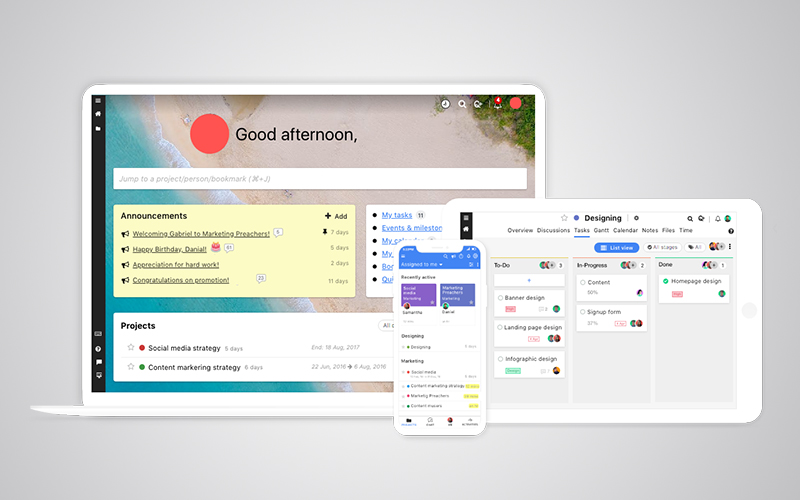
ProofHub - Project Management Tool

ProofHub is a project management and collaboration platform that brings people in one place to discuss plans, create to-do lists, lay down Gantt chart, calendar milestones, track progress/time meet daily deadlines, and celebrate success. This tool comes with scalable features well-integrated, reasonably priced, and comes with scalable features that make it an ideal alternative to Basecamp, Asana, Trello and many other leading PM solutions.

Key features:

  • Chat and discussions
  • Task management
  • Workflows & Boards
  • Events & milestones
  • Gantt charts
  • Custom reports
  • Custom Roles
  • Files and notes
  • Recurrent tasks
  • Online proofing and approval
  • Announcements
  • Mentions
  • Time tracking
  • White labelling
  • Multiple languages
  • Advanced search
  • Mobile and tablet compatibility

Pricing:

Free Trial – Available

ProofHub Essential – $50/month or $45/month (billed annually) (Discounts on subscriptions for non-profits)

ProofHub Ultimate Control – $99/month or $89/month (billed annually)

2) Zoho Project
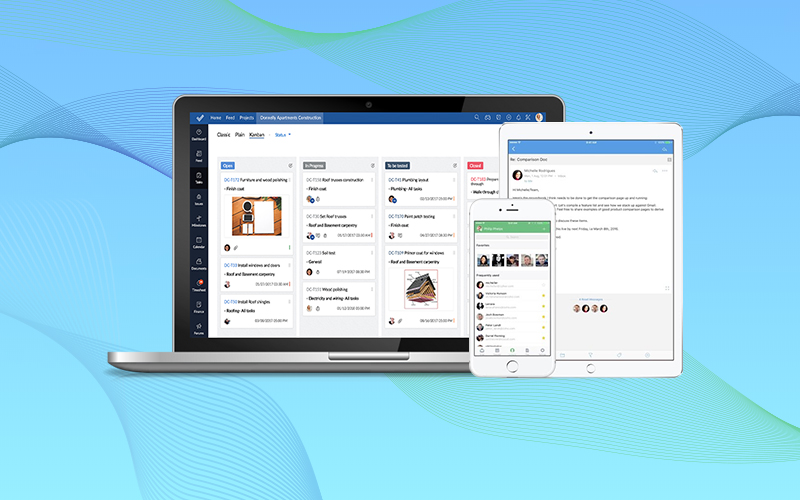
Zoho Projects

Zoho Projects is a project management software designed to help you plan and collaborate on projects in a less complicated manner. The software also allows you to streamline your project workflows with automation, customization, as well as integration.

Key features:

  • Time logging
  • Project budgeting
  • Expense tracking
  • Resource utilization
  • Kanban board
  • Forums and discussions
  • Global/Project dashboards
  • Custom widgets, views, and fields
  • Custom permissions

Pricing:

Free Trial – Available

Standard – $25 per month ($20 per month if billed annually)

Express – $50 per month ($40 per month if billed annually)

Premium – $100 per month ($85 per month if billed annually)

Enterprise – $150 per month ($125 per month if billed annually)

3) Trello
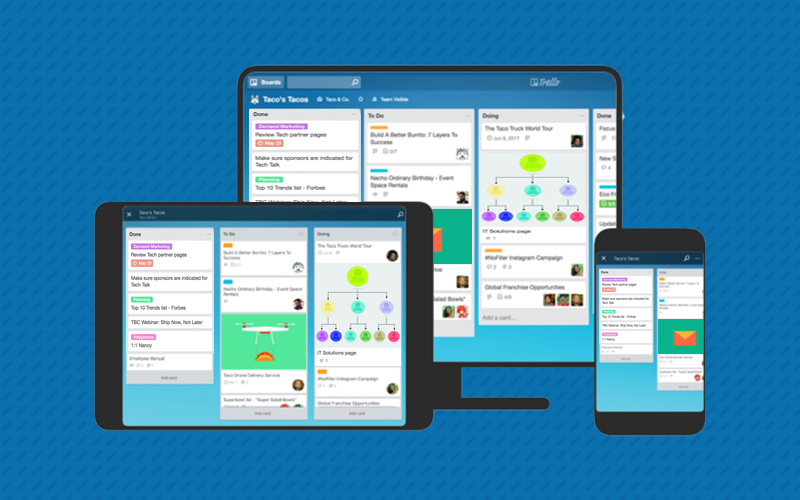
Trello project management tool

Trello is a project management and collaboration system that utilizes the concept of boards (which represent projects) and cards (which represent tasks). It simplifies project management and collaboration by organizing all your project-critical details in one place.

Key features:

  • Instant overview on front and back of cards
  • Drag and drop functionality
  • In-line editing
  • Easy uploading of files and attachments
  • Data filtering
  • Archiving of card records
  • Deadline reminders
  • Email notifications
  • Activity log
  • Assign tasks
  • Information retrieval and back-up

Pricing:

Free Trial – Available

Business Class – $9.99 per user/month (billed annually)

Enterprise – $20.83 or less per user/month (billed annually)

4) Wrike
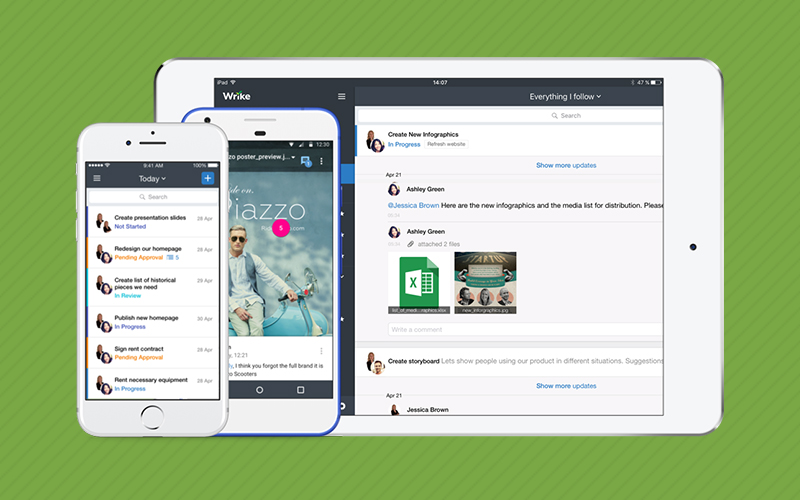
Wrike - Project Management Tool

Wrike is one place for all of your work. It’s a project management solution that comes packed with team collaboration and business management features to eliminate your everyday hassles at work.

Key features:

  • Task management
  • Gantt chart
  • Document collaboration
  • Discussions in tasks
  • Task prioritization
  • Customized reports
  • Recurrent tasks
  • Workload management
  • Time-tracking
  • Google Docs, Dropbox, Box integrations
  • Email integration

Pricing:

Free Trial – Available

Professional Plan – $9.80/user/month(billed annually)

Business Plan – $24.80/user/month (billed annually)

Wrike for Marketers – $34.60/user/month (billed annually)

Enterprise Pricing – by quote

5) Smartsheet
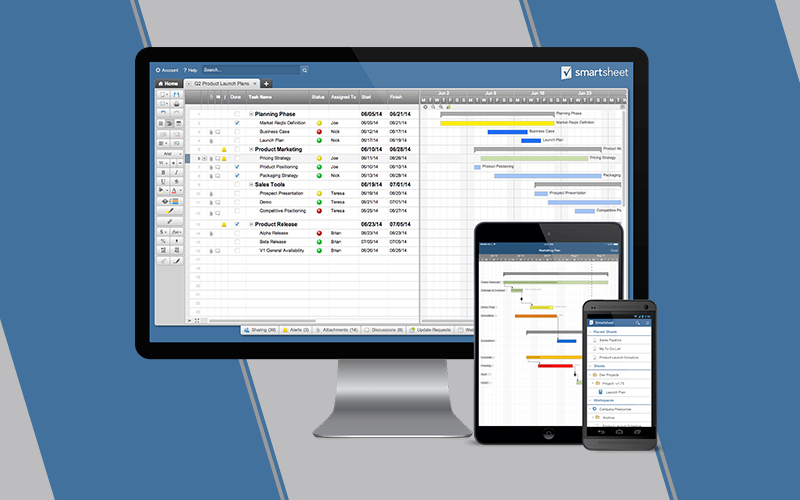
Smartsheet- project management tool

Smartsheet is an extremely powerful project management tool that provides you with targeted solutions for your business.

Key features:

  • Dashboards
  • Calendar view
  • Card view
  • Gantt chart
  • Alerts and automated actions
  • Activity log
  • Filters
  • Resource management
  • Reports
  • Custom branding

Pricing:

Free Trial – Available

Individual Plan – $14/user/month (billed annually)

Business Plan – $25/user/month (billed annually)

Enterprise Plan – customized (contact vendor)

6) Clarizen
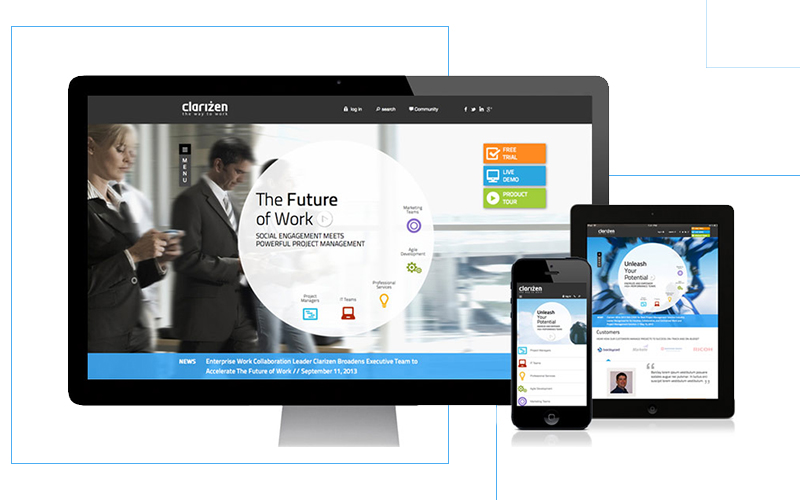
Clarizen - project management tool

Clarizen is an enterprise-grade solution that addresses every challenge a team might face while collaborating or managing work. It empowers teams to achieve better efficiency across the entire project management lifecycle by streamlining work and automating processes.

Key features:

  • Gantt chart
  • Task management
  • Issue tracking
  • Project portfolio management
  • Personal calendars
  • Time tracking
  • Budget tracking
  • Resource management
  • Role and assignment per project
  • Document sharing
  • Risk management
  • Workforce management
  • Executive Dashboards
  • Knowledge management

Pricing:

Free Trial – Available

Enterprise Edition – By quote

Unlimited Edition – By quote

7) Workzone
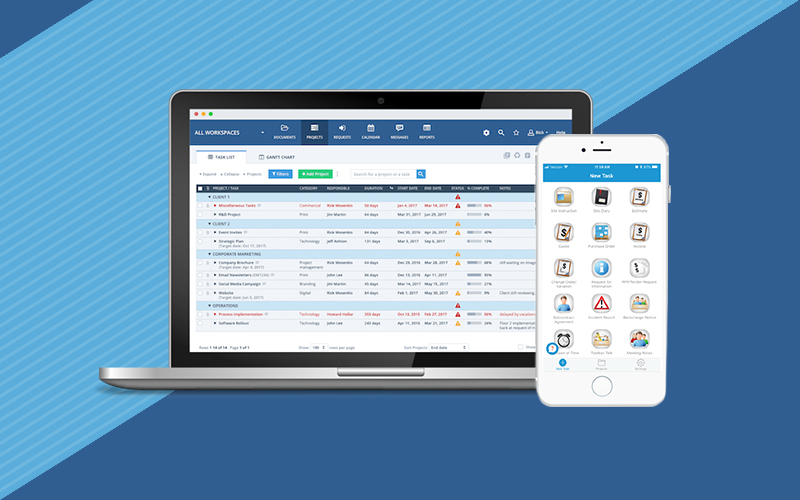
Workzone -project management tool

Teams can use Workzone to keep projects organized by tasks/subtasks, gain clarity over responsibilities, and connect together to quickly identify when a task is due or needs immediate attention.

Key features:

  • Email alerts
  • Gantt chart
  • Group calendar
  • Individual to-do lists
  • Project templates
  • Projects overview dashboard
  • Time tracking
  • Automated reports
  • Custom branding

Pricing:

Free trial – Not available

Team – By quote

Professional – By quote

Enterprise – By quote

8) Backlog
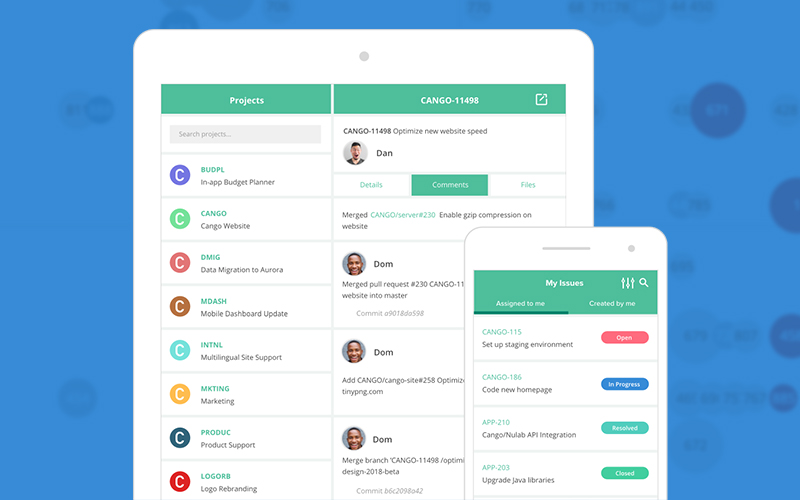
Backlog- project management tool

Backlog is a project management tool exclusively designed for marketing and software development teams. The aim of this solution is to boost collaboration, coordination, and communication between team members so that they can be more productive with their project/tasks.

Key features:

  • Project management
  • Project progress tracking
  • Task management
  • Gantt charts
  • Burndown charts
  • Team collaboration
  • File sharing
  • Bug tracking
  • Milestones
  • Custom fields
  • Notifications
  • Private repositories

Pricing:

Free Trial – Available

Free Plan –$0/month

Starter Plan – $35/month or $350/year

Standard Plan – $100/month or $1,000/year

Premium Plan – $175/month or $1,750/year

Enterprise Plan –$1,200 to $8,500/year

9) Jira
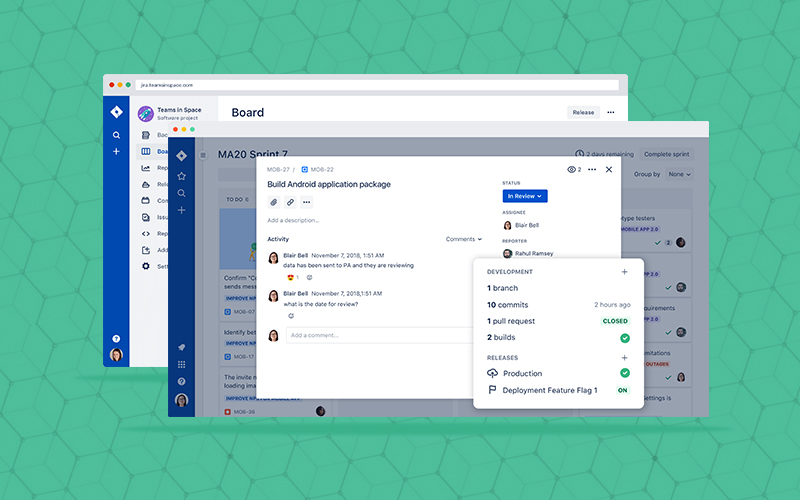
Jira -project management tool

Jira is a project management software with a simple, intuitive interface that enables effective collaboration within teams and allows them to manage every aspect of project management in one place.

Key features:

  • Customizable workflows
  • Unlimited custom fields
  • Seamless source/issue integration
  • Advanced search and filtering
  • Advanced reporting
  • Customizable dashboards
  • Advanced security
  • Mobile interface

Pricing:

Free Trial – Available

Cloud Up to 10 users – $10 monthly flat fee

Cloud 11 – 100 users – $7 per user/month

Self-hosted Server – $10 one-time payment for 10 users

Self-hosted Data Center – $12,000 per year for 500 users

10) Hive
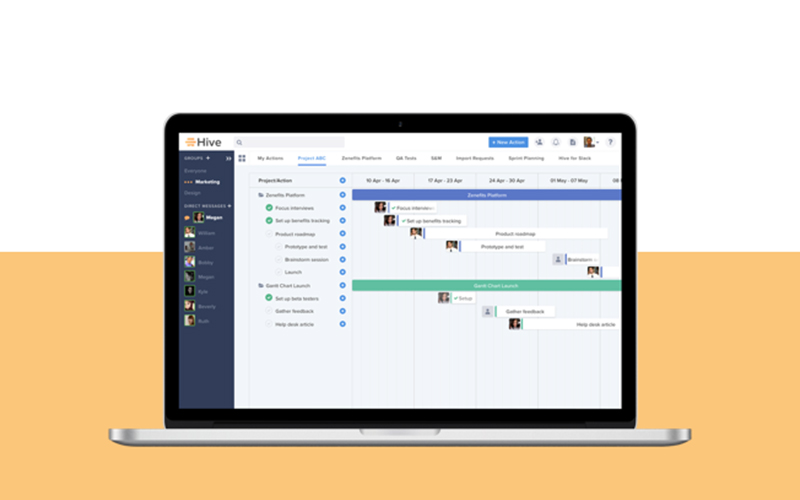
Hive- project management tool

Hive is a cloud-hosted project management platform that caters to the specific needs of your team. It offers a multitude of features that let you create, assign, track, and complete tasks in one place.

Key features:

  • Multiple views
  • Chat
  • File sharing
  • Analytics
  • Time tracking
  • Powered to do lists
  • Status view
  • Project tracking
  • Gantt chart
  • Automatic updates
  • Files & folders
  • Integrations

Pricing:

Free Trial – Available

Professional – $12/user/month

Enterprise – Contact vendor

11) ProWorkflow
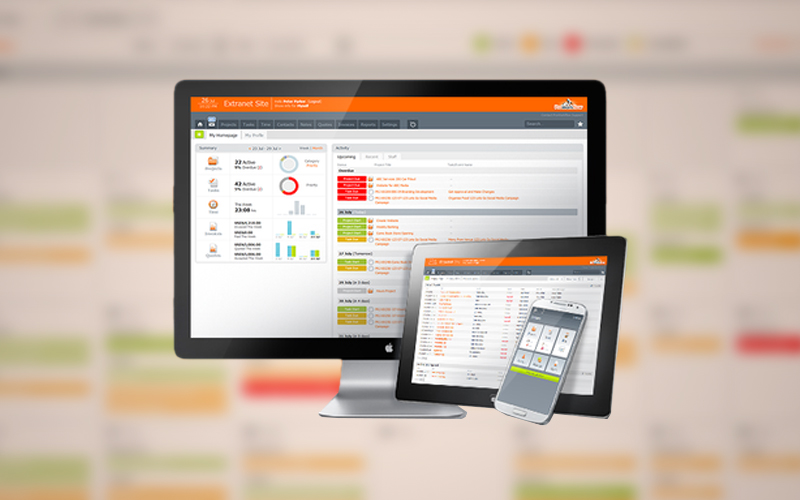
ProWorkflow - Project Management Tool

ProfWorkflow is a project management system that helps you collaborate seamlessly and have better project visibility. The software works for freelancers and all small, medium, and large enterprises.

Key features:

  • Templates for reports and forms
  • Dashboards and status summaries
  • Easy-to-use scheduling
  • Messaging tool
  • Branding & configuration
  • Permission-based access
  • File sharing
  • Time tracker
  • Notifications & alerts
  • Gantt style timeline
  • Free basic training and support

Pricing:

Free Trial – Available

Solo – $10 per month, ideal for freelancers

Professional – $20 per month per user

Advanced – $30 per month per user, perfect for enterprise

12) Flock
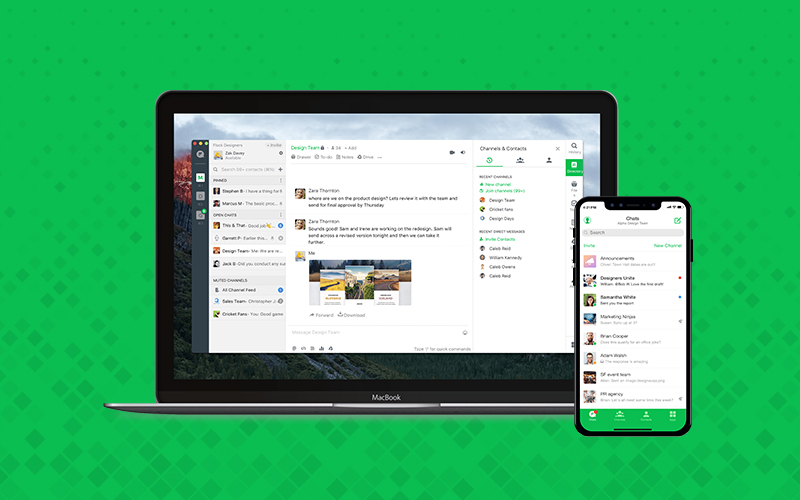
Flock -Project Management Tool

Flock is a robust collaboration and management application that simplifies the process of working together. It manifests a central hub for modern teams to work together to achieve the desired goals.

Key features:

  • Productivity tools
  • Multiple Integrations
  • Communication management
  • Search functionality
  • Video and audio calls

Pricing:

Free Trial – Available

Pro Plan – $6/user/ month or $4.5/user/month billed annually

Enterprise – quote based

13) Podio
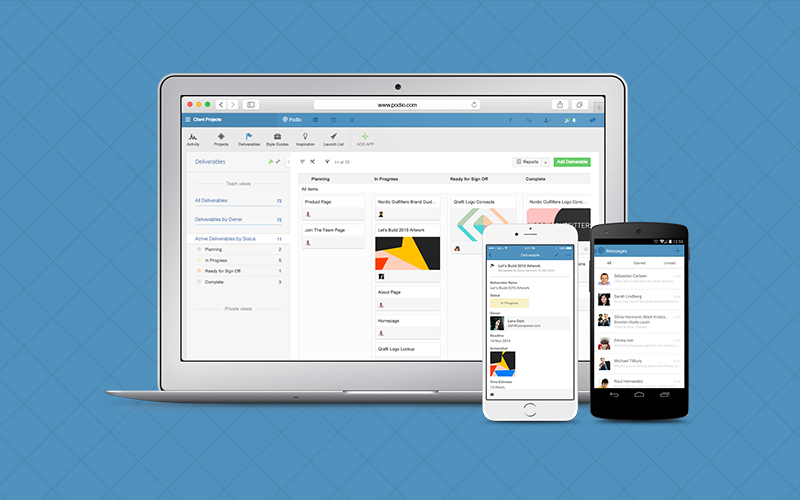
Podio

Podio is a work management platform that keeps everything closely tracked and organized. This is an ideal tool for team collaboration, task management, information sharing, project scheduling, and automated workflows.

Key features:

  • Project Management
  • Automated Workflows
  • Data Visualization
  • Social Collaboration
  • Task Management
  • Calendar
  • Unlimited Storage
  • Personal Dashboards
  • Connected CRM
  • Integrated Chat
  • Full Customization

Pricing:

Free trial – Available

Basic: $9 or $ 7.20 (annual)

Podio Plus: $14 or $11.20 (annual)

Premium: $24 or $19.20 (annual)

Enterprise: Custom plans

14) ClickUp
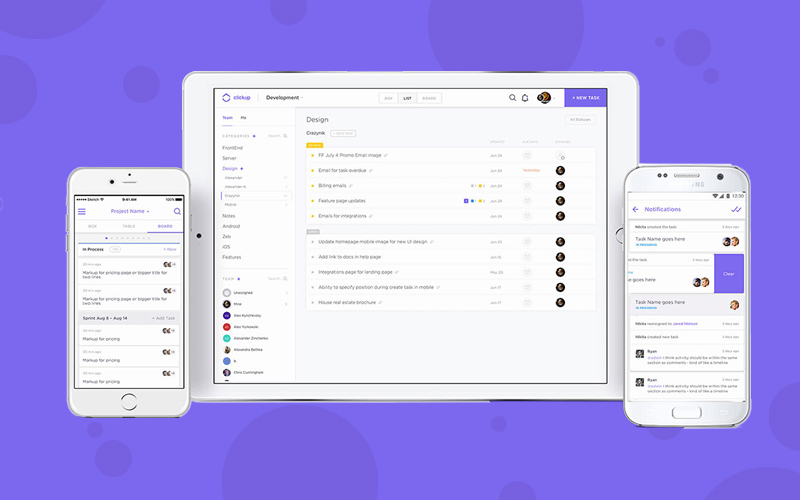
ClickUp - Project Management Tool

ClickUp is a hybrid project management platform with all the features you need to streamline your processes and work efficiently. The platform works seamlessly for many industries, including sales, marketing, design, and development.

Key features:

  • Project management
  • Task management
  • Multiple assignees
  • Threaded Comments
  • Custom Statuses
  • Agile Board View
  • Progress Percentage
  • Custom Notifications
  • Mentions
  • Drag and drop reordering
  • Smart Search
  • Gantt Chart
  • Calendar

Pricing:

Free Trial – Available

Business – $9/user/month or $5/user/month (annual billing)

15) Airtable
Airtable - Project Management Tool

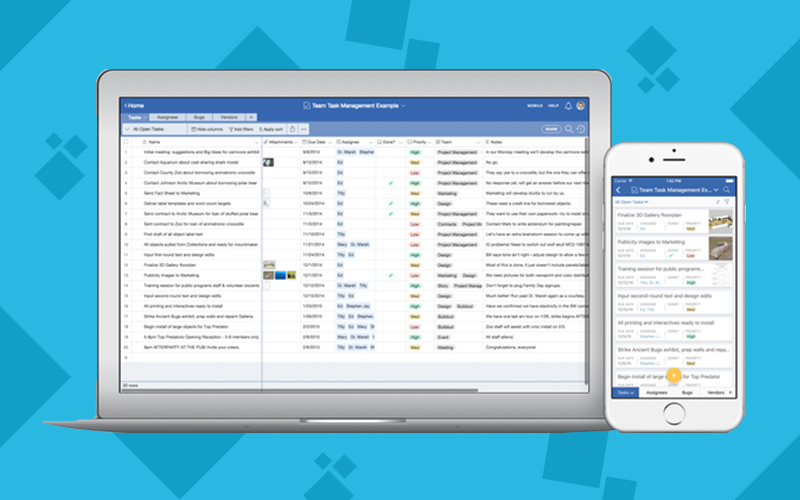
Airtable is a management solution equipped with exceptional organization and collaboration functionalities. It works like a typical spreadsheet and allows you to organize all your project related information into a centralized system.

Key features:

  • Customized views
  • Email integration
  • Third party integration
  • Calendar management
  • Collaborative workspace
  • Communication management
  • Records management
  • Data synchronization
  • Automatic backup
  • Templates

Pricing:

Free Trial – Available

Airtable Free – Free

Plus – $12/user/mo

Pro – $24/user/mo.

Enterprise Plan – Contact vendor

16) Paymo
Paymo

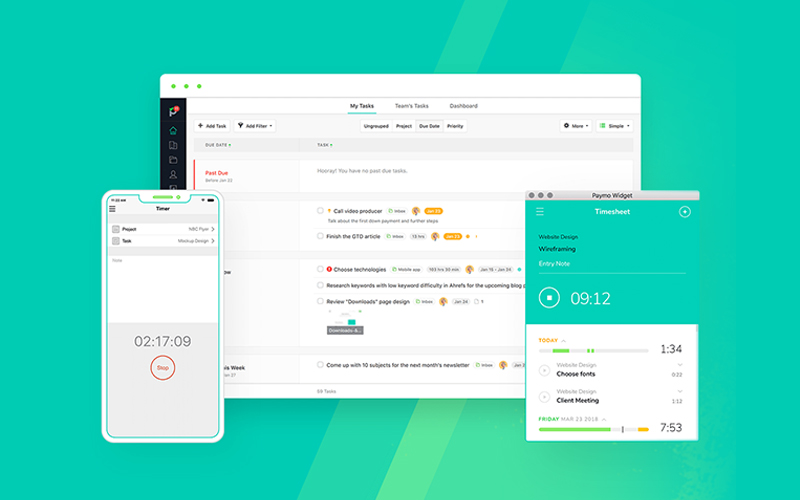
Paymo is a project management tool that helps your team achieve their goals through measured steps. It keeps everyone on the same page and helps them stay organized, productive throughout the project management process.

Key features:

  • Project management
  • Task management
  • Team management
  • Resource management
  • Financial management
  • Time tracking
  • Timesheet reporting
  • Mobile apps
  • Adaptable dashboard
  • Personalization

Pricing:

Free Trial – Available

Small Office Plan – $11.95/user/mo (billed monthly) or $9.56/user/mo (billed annually)

Business Plan – $18.95/user/mo (billed monthly) or $15.16/user/mo (billed annually)

17) Microsoft Project
Microsoft Project

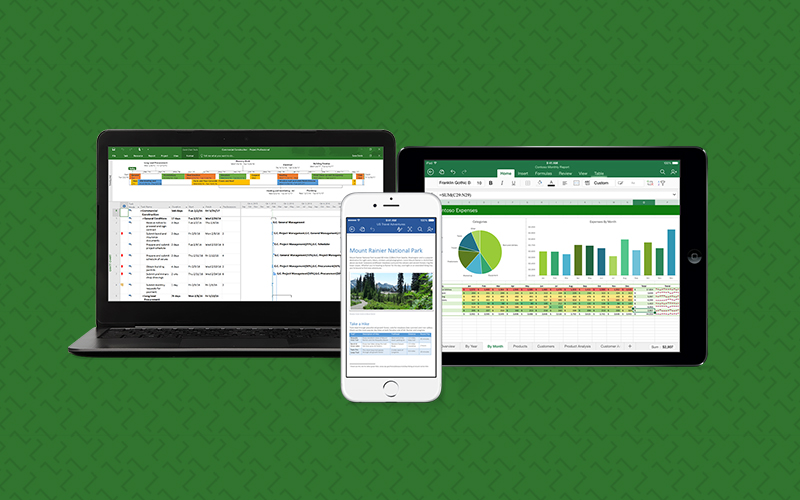
Microsoft Project is a work management solution we all have used or heard at some point. It enables individuals, teams, and enterprises to get started, manage a project, and deliver it successfully with the intended value.

Key features:

  • Planning and scheduling
  • Project timeline view
  • Real-time communication
  • Reporting
  • Different views
  • Resource management
  • Project portfolio management
  • Anywhere, anytime access

Pricing:

Free Trial – Available

Essentials – $7 per user/month

Professional – $30 per user/month

Premium – $55 per user/month

Standard – $589.99

Professional – $1159.99

Server – By quote

Project Pro For Office 365 – $25.00 user/month

Online – $33.00 user/month

18) LiquidPlanner
LiquidPlanner

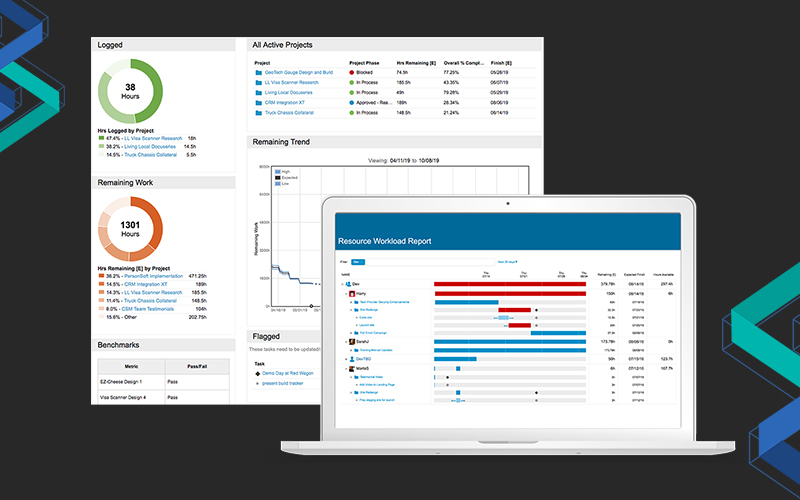
LiquidPlanner is a collaboration and project management software for the new generation. It offers specific features to match the project needs of all small and large teams.

Key features:

  • Priority-based scheduling
  • Built-in collaboration
  • Time tracking
  • Project analytics & reporting
  • Document management
  • Access controls
  • Baseline view
  • Checklists
  • Cross-reference tasks

Pricing:

Free Trial – Available

Small Team – $9.99/user/month billed annually

Professional – $45/user/month billed annually

Enterprise – $69/user/month billed annually

19) Aha!
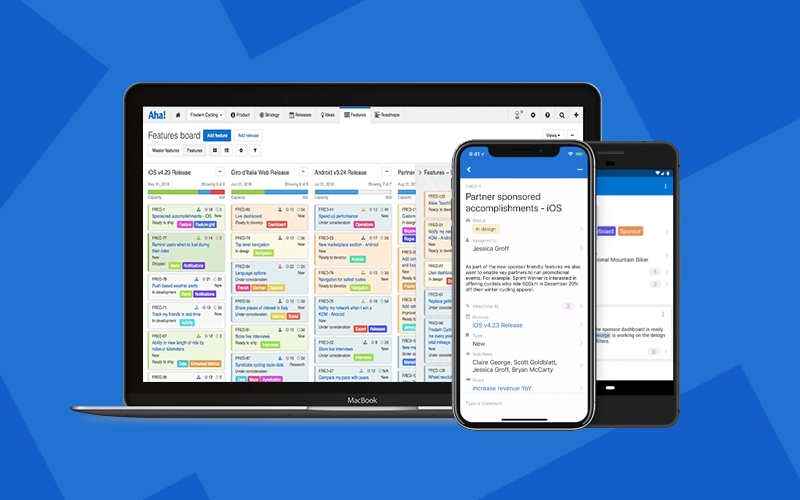
aha- project

Aha! is a comprehensive road mapping and project management software. It implements a framework that allows teams and project managers to connect and facilitate easier, faster achievement of business goals.

Key features:

  • Business model generator
  • 360 tracker
  • Idea management
  • Visual reports and detailed charts
  • Notebook
  • Product notes
  • Third-party integrations

Pricing:

Free Trial – Available

Premium – $59/user/month (billed yearly) or $74/user/month (billed monthly)

Enterprise – $99/user/month (billed yearly) or $124/user/month (billed monthly)

Aha! Enterprise + – $149/user/month (annual only)

20) ProjectManager.com
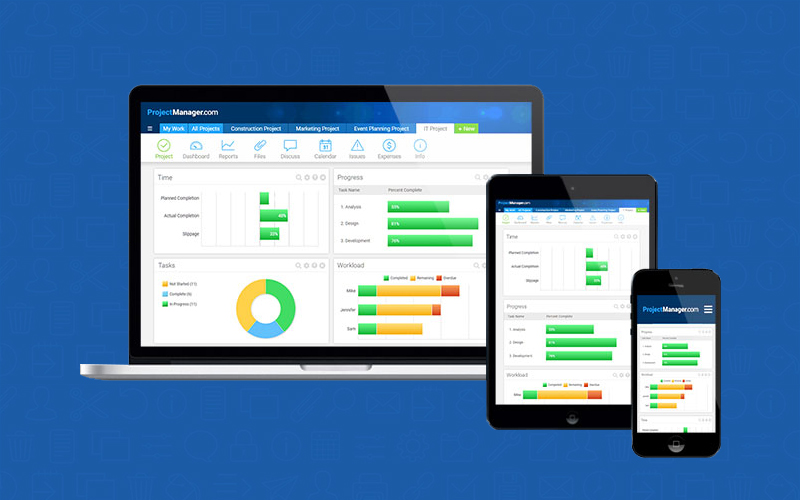
ProjectManager

The last tool in our list is ProjectManager. It’s an end-to-end project management solution that takes project management and collaboration to a whole new level.

Key features:

  • Real-time dashboards
  • Gantt charts
  • Task management
  • Timesheets
  • Resource management
  • Chats & discussions
  • Online file storage
  • Project templates
  • Advanced reports

Pricing:

Free Trial – Available

Personal – $15 per user/month

Team – $20/user/month

Business – $25/user/month

Enterprise – by quote

If you have a tool in mind that would make a perfect addition to our list of top project management tools for project managers, let us know in the comments below!

4 Digital Marketing Services to Become a Successful Entrepreneur

At present, digital marketing services algorithms are difficult to understand. When algorithms become familiar, implementation seems like a breeze. But actually, the marketing algorithms are awesome. SEO or Search Engine Optimization is not bounded by just a few techniques. Digital marketing services include SEO that makes every online business stronger.

There are SEO practices in digital marketing that come handy for business websites. These services help to increase their readability, accessibility and revenue-generating paths. At the same time, these services can even drift your business into trouble. If you don’t apply the right one at the right time.

Now, let’s say you know all the digital marketing tactics. Also, you apply them to make your online business successful. But still, does it makes you a good entrepreneur? In SEO, there are many strategies but you can’t implement them all at the same time. To make your online business perform well on a bigger platform, you will have to follow only a few SEO marketing tactics. That will make your work impressive and will make you a better entrepreneur.

Let’s begin with those four digital marketing services that will allow you to become a better business person.

1) Mind-Boggling Content

While surfing on the internet, you will find similar information on different blog pages. The content can be in many storylines but the climax is the same. At present, the audience does not consider going through the same information again. They are always in a need of fresh and informative data.

So, consider gaining more knowledge before publishing your content live. All you have to do is spend more and more time on the internet searching for useful content for your audience. Being a digital marketing person, you should know the taste of your audience. The content on your website should be unique and simple enough to understand.

Mind-Boggling-Content

2) Google Search Isn’t Enough

Is your online business site ranking first on Google? It can be yes but not 24/7. Even if your online business website has all the products that customers want. Still, it will not be retaining its position. The reason will be your competitors using the latest SEO practices.

Google search is not enough to maintain your brand name as a vast part of the audience are mobile users. It’s a modern era and mobile applications are trending like hotcakes. No one considers opening up a browser to search for any item. People consider using apps to find better results. 

At present, there are many services apps available in the market that provide amazing customer services. For example food ordering apps, taxi booking apps, medicine delivery apps and many more. People can get whatever they want with the help of these service apps. Now, this is why Google Search isn’t enough for every user.

Also, we should not forget that except Google, there are other search engines like Bing, Yahoo, Ask.com. You will have to focus on such SEO practices that will allow your website to rank of various search engines.

digital marketing services

3) Add Technical SEO

This year many new technologies came up to make our lives better. In the same manner, SEO has also brought many new innovations. Out of these innovations, Speed, Progressive Web Apps, and JavaScript are still the most focused parts of SEO. You may be countering many issues with these three terms while optimizing your website.

Website loading speed should be quick. But, due to heavy JavaScript, the website speed decreases. Consider avoiding bulky JavaScripts to run your online business website smoothly. 

Progressive Web Apps are the future of digital marketing. Basically, Progressive Web App is one of the subcategories of mobile apps that are developed using ordinary computer languages like CSS, JavaScript, and HTML. It’s an amazing alternate of service websites that can drive huge traffic on your website. But still, many digital marketers are still not aware of its benefits. 

SEO services have no bars, it includes practices that are responsible for optimising website visibility on search engines. SEO services are composed of practices like On-Page and Off-Page activities.

1) On-Page Activity:

On-page activity refers to all those SEO practices that are directly implemented on a web page to improve its ranking. Here are some key On-page activities:

  • Maintaining content structure
  • Content quality
  • Optimising HTML codes
  • Internal Linking

2) Off-Page Activity:

Off-page activity refers to those SEO practices that are implemented outside the website page to increase its ranking. Some of the key Off-page activities are:

  • Backlinking
  • Link Relevancy
  • Document sharing
  • Directory submission

But make sure both the page activities are implemented parallelly or else your efforts will go in vain. This is an advantage for you to make your business website reachable to your audience. Not only reachable but you can build brand trust, increase traffic and can improve ROI for your brand.

4_Add Technical SEO

4) Voice Search Optimisation

According to recent studies, 90% of the world’s population are mobile users. In that 90 %, three-fourths of the people are surfing the internet throughout the day. Do you think people are searching for their information through typing? Of course not, almost 80% of the people are using voice search option to get the desired information.

Voice search is an important feature for every person’s day to day life. People are quite busy in their professional lives and do not get time to even get their fingers on their phones. Here’s why the voice search feature is beneficial as it allows people to get search results in a better form. So, it’s better to add a voice search option in your online business website.

5_Voice Search Optimization

Well, these are the four SEO marketing strategies. These can make your digital marketing services better. It’s uncertain that only these methods will improve your digital marketing skills. But, these can make you a better entrepreneur.

How Can Buyer Persona Transform your Email Marketing

Anyone who’s ever been involved with email marketing is aware of the term “Buyers persona” and why it must be inculcated in the marketing strategies. For those of you who are still unfamiliar with the term, need not worry. As we are going to explain and show you how to make the best use of the Buyers persona to boost your email marketing efforts.

Its sales & marketing 101 that in order to sell your product or service, you have to know your customers to the fullest. And creating a buyers persona helps you out with just that. It is a fictional representation of your ideal customer based on real info. Such as their online behaviour, demographics and even educated speculations on customer’s goals and challenges.

Just keep in mind that the buyer’s personas are not about the customers that you could bring. But more about the customer you really wish to attract. This thought process will give you a clearer idea while creating them.

Now, why are Buyer personas so crucial in email marketing? Let’s find out…

What Makes Buyer Personas So Crucial in Email Marketing?

Let’s face it, as of today the world of email marketing has turned into a battlefield. An average person receives a legion of emails offering countless offering N number of offers & deals on a daily basis. Most of these get deleted without a second thought.

So now the question is how can you make sure that the emails that your brand sends don’t meet the same fate?

People like to take their business to brands they can trust and speak their language. As we mentioned before the buyer persona are created based on the needs, goals and challenges of your ideal customer. With the help of such information, you can create powerful emails that will have the highest probability of touching base with customers and achieve your business objectives.

Buyers personas are pivotal to creating highly targeted email marketing campaigns which get more opens, clicks, and engagement. Targeted emails more optimized towards lead generation and result in increased conversions.

Now that we have made abundantly clear how important buyers personas are in email marketing, lets’ go into some of its applications.

Segmenting Your Email Lists

Segmenting your email lists

The best feature of the buyer’s persona is that it provides a great source to customise your email lists in a personalized manner.

Utilising data such as demographics (age and gender) segment your email lists is a good start. but this will only give you a one-dimensional client profile. By crawling inside your prospect’s head and figuring out their thought process while making their buying decisions, you can refine the segmentation quite a bit.

The segmentation list allows you to send more engaging and contextual content pertaining to needs, based on:

  1. Personas: The buyer personas does the receiver align with?
  2. Engagement level: Based on emails opened, website pages visited, products bought or resources downloaded.
  3. Status: Whether an existing customer, prospect, or a curious passer-by?

These segmented lists can be created in the automated email marketing tool like Infusionsoft and targeted emails will be automatically sent once the segment criteria are met by the user, prospect, or client.

Making an Offer One Cannot Refuse

Making an offer one cannot Refuse

By taking the customer’s goals and challenges into consideration. You can present customized offers that have the highest probability of meeting the objective of the email.

Just make sure that you do not make the offer in your first email. Send and a couple of nurture emails, providing helpful information regarding your product or services.

Let’s take an example of one of our clients, Brain Wellness Spa who help people with their mental and emotional health challenges. As per their buyer persona, one of the major challenges is people’s apprehension regarding the therapy.

Therefore based on the user action on the website, we designed targeted email sequences. By providing useful information along with free audios to gently nurturing the prospects. With the idea of opting for the client’s services. And making an offer for a free consultation at the end of the sequence greatly enhances the chances of conversion.

Create Actionable Content

Create actionable Content

Content is the message that your brand wants to share with the World. By tailoring your email content starting from the subject line to the body and CTA. You can boost the open and click-through rates by several folds.

Consider the buyer’s biggest concerns and challenges, and then write copy that will address them all.

Also, consider verbiage used in your mail as you cannot market to a Millennial as you would to a Baby Boomer. So take into consideration aspects like age and education. Would the reader relate with complex words or a simpler approach would get the job done? All of these elements will help your email marketing efforts resonate more with the readers.

Few Last Words…

We hope you found out take on buyer persona helpful and if you require any assistance, then please contact us. Our experts would be delighted to assist you.

Don’t forget that as your business grows and changes over time, then so would your brand’s buyer persona. Therefore it is necessary for you to review the persona from time to time and implement the changes in your email marketing.

Ciao!!

How To Calculate ROI Of A Mobile App

You must have the estimation of the return on investment (ROI) when launching a mobile app development and, the end product aims at adding to revenue of your business. Estimating ROI becomes more important when yours is a free app. And will serve a completely unfamiliar domain where not many successful examples exist.

In fact, the future success of a mobile app entirely depends on its ROI. There are many examples showing that apps are rolled back even before their first anniversary. One of the key reasons leading such decision is no or insufficient ROI generated by apps.

A smart approach to mobile app development is one that first includes the estimation of ROI clearly exhibiting whether the app would be able to generate enough revenue or not. Experts say that close to 65% of developers or app owners miss on hitting the right approach. And miserably fail with reaching the right revenue generation plan.

ROI of mobile app

Experts also say that if developers or app owners calculate their mobile app development projects’ ROI by following 5 steps as a base.

Creating a Measurement Plan

The first thing that developers would need for creating an effective measurement plan is to consider implementing the app analytics. The key things to do include the planning to measure ROI, establishing performance and conversion trackers for different communication, and the app’s vending points. Also, start forming and implementing your ROI plans as early as possible because this provides a long stretch across all phases enabling to compare with performance and trends in better ways. Follow metrics to measure performance more accurately. In an e-commerce app, for example, create a measurement plan grounded on successful checkouts.

Google too has recommended steps for creating a measurement plan:
• Document business objectives.
• Recognize the strategies and tactics supporting objectives.
• Choose metrics basing KPIs.
• Decide how the data segment is needed.
• Choose targets for KPIs.

Calculating CLV

Measuring revenue of an app accurately also involves quantifying Customers Lifetime Value (CLV). It shows what you can expect to earn from users until they keep an app on their devices and use them. So, it’s based on how long a customer associated with an app contributes to increasing its ROI. To calculate this, the total amount of purchases made by customers on the app is added up.

The other way for calculating the total customer value is adding up the total sales attained from beginning to a specific date and dividing the amount by the total number of users the app currently has. In result, you will have an averages CLV value of all your users. Businesses already owning a website can estimate earning based on CLV for their mobile apps. It will help them effectively evaluate the role and impact of the planned app on increasing the lifetime value.

Make sure you measure some of your KPIs in dollars to make the task of CLV calculation simpler. Metrics used to track CLV are quite handier. It can also be used by subscription business for a long term forecasting. CLV will also help in concentrating on the efficiency of your business as you would be able to get more value per user.

Knowing the overall cost

When you are able to estimate the complete cost of your mobile app before you launch the development, you would be able to deal with various factors and propositions affecting the cost-benefits of an app. It also involves how much do you spend and will continue to spend to generate particular revenue. The spending calculated will vary from the needs of a business to others.

 overall cost ROI

Analyzing cost also involves the primary cost of building an app and the operation & maintenance cost spent to curate, feed, update, and promote the app.

To calculate the cost, gauging and attribution tools can be used to reach more detailed and refined results. It’s a popular method among others available. It will help you make more effective ROI generation plan.

Understanding different users

To come up with the more reliable ROI calculation on your mobile application development, it’s essential that you segregate users on the basis of different incoming sources and varying consumptions patterns. Customers with previous purchasing history in your app visiting directly are more valuable than those being driven through Ads or social media platforms.

Understanding-different-users-1

Customers, who have been using your website until recently, downloading your app are more promising than those who have connected you via the app just now. Mark these visitors separately to have a clearer estimation of ROI.

Putting matrix in action

Once you have metrics set to measure performance, they should be put into action now. Of course, you will soon feel the need for refinements, and you should do all changes to get those refinements and then gauge results out of metrics put in the action.

Putting-matrix-in-action

If you have multiple metrics in hand, keep tabs on how they perform relatively and then club results from all sources to reach a single, best decision. Apply A/B testing if you have one single metric to ensure that you are getting the maximum of it.

Latest Gutenberg’s WordPress Guide On How To Use Block Editor

Planning on updating your WordPress with the latest Gutenberg block editor? Before you go about doing that the best course of action would be for you to know everything about the Gutenberg editor. Now the good news is our Gutenberg WordPress guide will not just tell the difference between the old & new version, but also how to use the block editor.

The Gutenberg block editor brings with it fully styled method content creation in the form of blocks. And we are going to tell you exactly how you’re going to use blocks along with some of the new editor’s other features, to curate content at your WordPress site.

What makes the Gutenberg block editor better than the classic version?

The latest block editor offers an easy way to add a variety of content to the posts and pages of your website. For instance, previously if you wished to add a table in your content, then it required a separate table plugin.

Gutenberg block editor

With the Gutenberg block editor, you can simply add a table block, select the columns and rows, and start adding your content in the webpage. You can even shuffle content elements and edit them as individual blocks easily to create media-rich content.

And most importantly, the new block editor is very easy to use and learn. This gives a huge advantage to all WordPress newbies who have just started working on their first blog or building a DIY website.

What are the “Blocks” in Block editor?

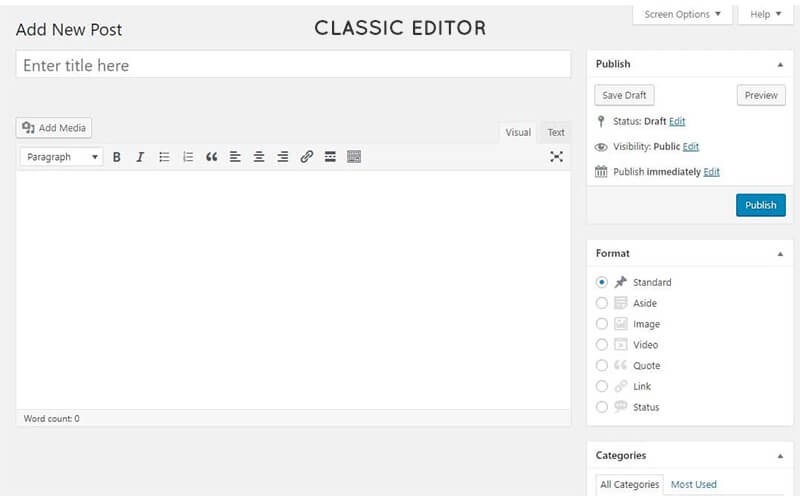
The Gutenberg block editor is all set to replace the single edit field mode of the classic WordPress TinyMCE editor using a variety of “blocks”. These blocks will enable you to build more complex and creative designs than those allowed in the old classic WordPress editor.

Gutenberg WordPress Guide

And the great news is that you will be able to create your very own third-party blocks that can be accessed via plugins for extra flexibility. Each block on its own is a separate entity that you can modify an individual basis.

Not only that, the Gutenberg block editor is geared up to eliminate the need for page builders for most of the “standard” content, and create a singular unified method for creating more-complex layouts in WordPress.

Let’s have a look at the interface

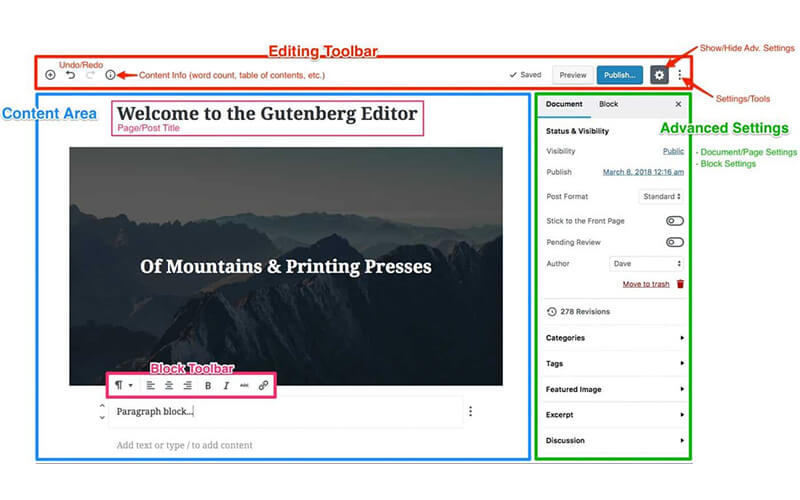
We have highlighted some of the key aspects of the editor. So let’s Jump down below the image for more details on each individual section.

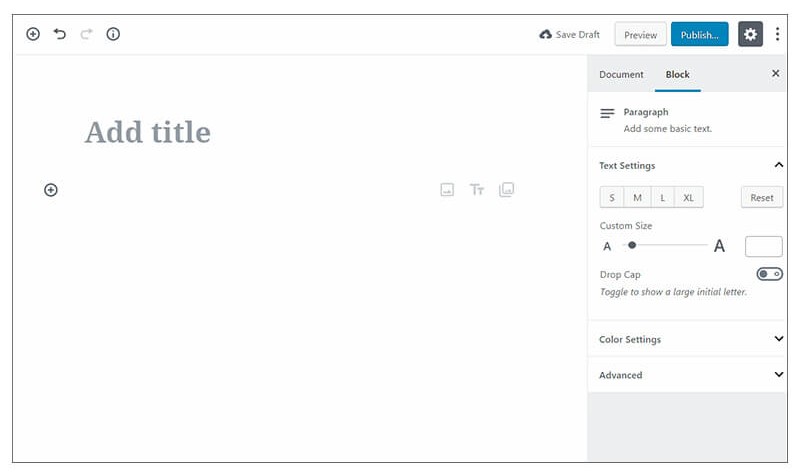
The Gutenberg interface is comprised of three main areas:

1.EDITING TOOLBAR:  TOPMOST OF SCREEN

Gutenberg WordPress Guide

2.CONTENT AREA: LARGE SECTION ON THE LEFT SIDE

3.ADVANCED SETTINGS SECTION: RIGHT SIDEBAR

These sections of the Guttenberg block editor allows you to do the following:

Gutenberg WordPress Guide  advanced
  • Add a new block within the content area
  • Undo/Redo changes
  • Review the content’s structure (no. of words, blocks, paragraphs, headings, and tables)
  • Save your changes that have been auto-saved with confirmation
  • Preview pages & posts
  • Modify settings, such as post visibility & publish time & date
  • Additional settings include:
    • Switching between & code & visual editors
    • Copying all content

How to add new blocks?

As discussed above, you’ll have to combine multiple individual “blocks” to build your layouts with the editor.

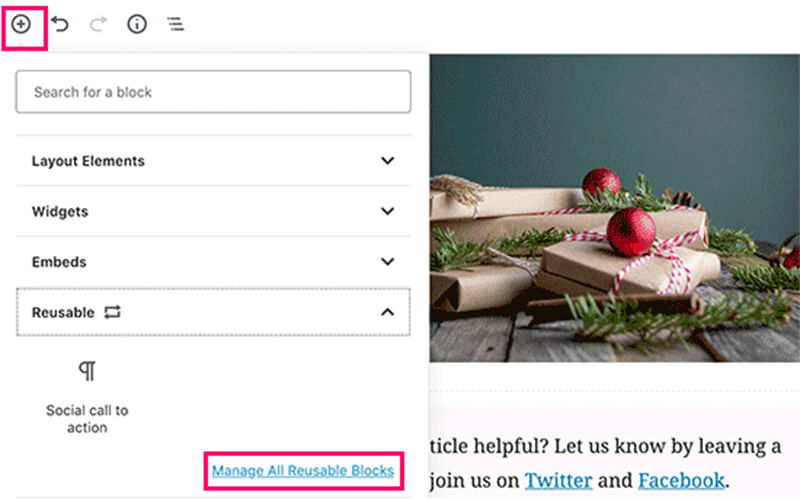
To add a new block, all you need to do is simply click the +Plus icon and select the content type you want to add:

Gutenberg block editor actually includes a ton of different blocks, divided into many sections as per the use such as Common Blocks, Formatting, Layout Elements, Widgets, and Embeds:

You will also see sections for

  • Inline Elements – only contains a single block for the inline-image.
  • Common Blocks – Basic building blocks like images, paragraphs (regular text), quotes, etc.
  • Formatting – Used for adding formatted content like pull tables, quotes, or even the classic WordPress text editor
  • Layout Elements– Enables splitting of text into two columns, including buttons, separators, or tags
  • Widgets – Used for adding shortcodes, latest posts, or categories.
  • Reusable- Use the templates that you have applied previously again (this option only becomes active once you have used a couple of templates)

Customizing individual blocks

Since the Gutenberg block editor includes tons of different blocks, we can’t demonstrate how to use each and every individual block. But we can show you the general framework that is applicable to all blocks.

customizing Gutenberg WordPress Guide

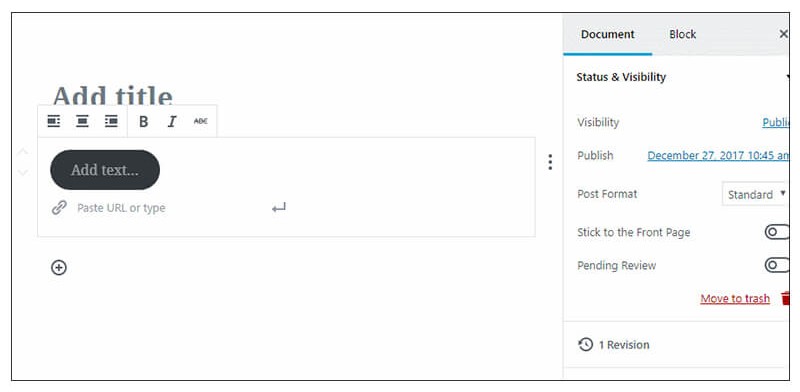
Basically, you can control your content in the actual body of the Gutenberg block editor:

For styling and alignment of basic text, you can use the menu bar that appears while hovering over a block:

You’ll have to style the block in the Block settings tab, for more advanced styling.

In order to access that tab, select the block you need to edit and browse over to the Block tab:

Is Gutenberg block editor the future of WordPress?

While the Gutenberg has its limitation as of now. It has become an official component of the WordPress core team thanks to the release of WordPress 5.0.

For many casual users, it will bring a tremendously flexible content creation experience. After some growing pains at its initial stage.

Although it’s limited to content creation. For now, it is expected to enable the developers to build entire webpages with ease.

We hope to find our guide on the Gutenberg block editor useful and in case you have any queries regarding the editor. Simply drop us a line in the comment section and our experts will get in touch with you in no time.

How Can I Increase My Sales Leads With Email Marketing

Introduction

First to brush up your knowledge on the meaning of sales leads. Sales lead is any sales contact, an individual or organization that shows interest in your products or services.

What is the effectiveness of email marketing? Email marketing is the leading form of communication. 77% of consumers choose email over other online channels. A well-executed email campaign has the following advantages,

● Increases sales
● Increases client loyalty
● Generates Leads
● Produces additional repeat business and
● Reduces marketing costs

Now you have known the usefulness of the email marketing campaign. Next, let me take you through ways of generating more leads through email marketing.

Gain Permission

Courtesy matters. You should get permission from your target audience to send emails to them. Gaining permission is the starting point to get leads.

For example, you can ask them to fill a form on your website. If they do it then it is a positive sign. It shows they are interested to know more about your services. So you gain leads.

Offer your Audience Something Special

Your marketing email will not be opened if there is nothing special in it. Offer something special, like discounts, early bird price or freebies. By this, you tell your target audience that you have a big deal to offer.

Send Personalized Emails Without Your Customer’s Name To Begin With

If you are going to email-market a customer first time do not use their names. Getting more personal, in the beginning, will only create a fake-familiarity approach. Instead, tailor an email around customer’s needs and interest.

Don’t Heap Offers Per Message

If you run a retail business you will have a craving temptation. That is to send a bulk list of all offers in one message. Don’t do this. People only scan contents online.

So it is enough you mention three offers per message. This gives your business a profitable scope to woo customers.

Shoot A Weekly Newsletter

Weekly newsletters are important in email marketing. Send tips and articles related to your industry in the newsletter. This has two benefits,
● You high-quality information will boost your authority. And of course, the trust your customers have on you.
● Customers will remember your brand and portfolio for a long time.

Send your Email on the Best Day and Time

Don’t follow the conventional competitive timing to shoot your emails. Statistically, everybody prefers to send the same. This actually will not work. Try sending it during unconventional timings. Maybe you will hit the target.

Short Emails are More Often Read

You are not in for an essay competition. You are just email marketing. Let your emails be short and to the point. In hurried scanning, customers just look for your message alone. Be straightforward. Provide only information.

Have Catchy Subject Lines

Subjects lines are the ones that prompt your customers to read further. Don’t slump here. Don’t be too wordy. Frame your subject line based on the customer’s present need.

Optimize Your Email For Mobile

Of course. Understood. Almost everyone has got a smartphone. You know, 60% of emails are opened/read on smartphones. To optimize your email marketing message to fit the mobile contours.

Link your Email Marketing to a Landing Page

You have to link your email marketing to a landing page. Don’t link it to your website or blog. Contents in the landing page are suitable to trigger conversions. They take the customers directly to the product or services they need.

Links to your blog or website will put your customer through more confusion. They may not find your product there. They will have a lot of distraction.

Drip Campaigns are Important in Email Marketing

Make sure you send automated emails to keep up with your loyal customers. But don’t over send triggered emails. This will displease your customers.

Gate your Content

Once your content is ready to decide if you want to place it in your email. Or you can add it in additional steps for users to access your content. Gating your content provides you with a list of better-qualified leads.

Also, Read  – Top 13 Content Marketing Stats you need to know in 2018

Make your Emails Shareable

Good emails are highly shareable. How to make your emails shareable?
● You should embed pre-formatted tweets in emails.
● For quick access, add a signup link to your email.
● Add social sharing buttons. This will help people to easily share your content on social media.
● Add an icon for email formatting.

Segment your Emails

You can build unique conversations only by segmenting your audience. With segmentation, you can reach customers with specific needs and wants.

You can segment your audience based on the following actions,
● Behaviour
● Opening an Email
● Signing Up
● Click on CTAs in email
● Click-through but don’t run up on the landing page
● Not performing any action

Include CTAs (Call-To-Action) in your Email

CTAs increase customer engagement. CTA buttons or lines can be included in your email. You can place CTAs that lead the customers to your landing page.

CTAs (Call-To-Action) in your Email

Sometimes you may want to place multiple CTAs. In this case, place the much needed CTA on top. This will make your customer take the much need action. Not placing your much needed CTA on top will make you lose 70% of customers.

Let your Design be Simple

Your best email should have the simplest of designs. Use not more than two to three fonts. Use abundant whitespace. And wherever possible use images.

The human brain processes image 60,000 times faster than texts. Try to convey your message more through images.

Make Way for Engagement

Your email should technically be of two-way communication. You should start a conversation. Convey to your customers that you care about what they say. Encourage them to respond to you.

Say, you recommend some products in your email. At last, you can ask your customers to opine on the recommendations. Such conversational email is a more of humanizing your brand.

Winding Up with Stats to do Email Marketing

According to Statistica, the number of email users will increase to 4.1 billion by 2021.

The total number of consumer and business emails sent and received in 2017 per day was 269 billion. This will continue to grow at an annual rate of 4.4% in the next four years. So it will reach 319.6 billion by 2021. Statistics by Radicati Group.

You know, email has a median ROI of 122%. This is 4X higher than other marketing formats. This statistics is by DMA and Demand Metric.

86% of business professionals prefer using email for business communication. This statistics is by HubSpot.

89% of marketers say they use email as their primary channel for lead generation. This statistics is by Mailigen.

Thus your efficient use of above ways for email marketing will ensure more sales leads for you.

How Infusionsoft Can Save Your Business

Before you even start reading this article, you must ask yourself this question.

How Customer-Centric Are You?

We ask you this since you are trying to explore the true power of Infusionsoft for your business. And this clearly shows that you wish to manage customer relationships with your brand in the best way possible, which is what Infusionsoft is all about.

One of the biggest problems any business owner faces is trying to maintain better customer relations and increase conversion rates, but failing to understand the consumer base from their perspective.

You might have even tried to enhance your lead generation processes, but have not been able to achieve the desired sales targets. Well, it is the right time to leap into the future of customer relationship management.

It’s true that Infusionsoft might not be the latest tech when it comes to CRM and there a many articles that have covered this topic, Furthermore, a lot of businesses are already using Infusionsoft as their core CRM to manage their customers.

Having said that it’s been observed that even though businesses are already using the CRM, they are failing to utilize its full potential which in turn affects their marketing capabilities. In this article, we are going to cover various functionalities of Infusionsoft that are going to streamline your customer management and skyrocket the digital marketing efforts for your brand.

So let’s get started, shall we!!

Note to Self: Do Not Forget to Strategize

As mentioned above, one of the major issues that businesses face is that even though they have a CRM in place for customer management, they are not able to truly connect with the customer or prospects where it matters the most.

Before exploring various Infusionsoft functionalities you need to map out the entire customer’s life cycle with regards to your product or services.

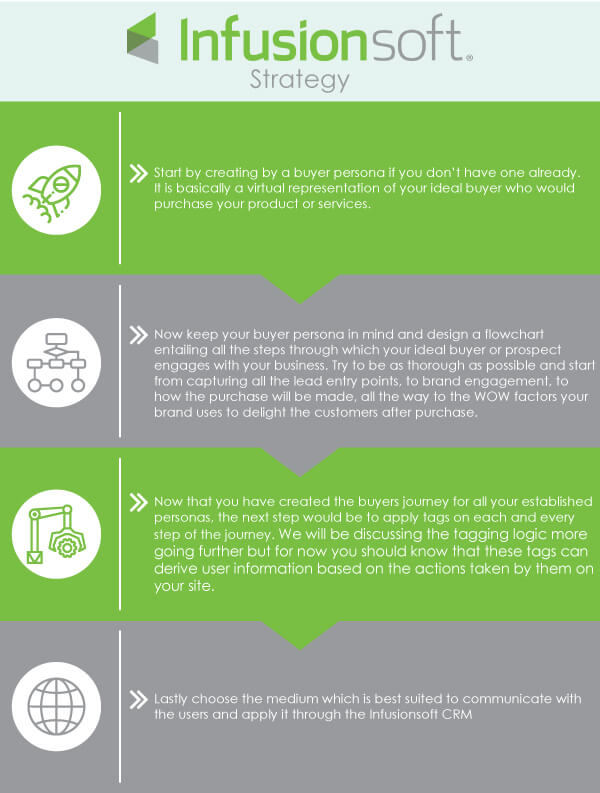
These are the steps that you should follow which designing your CRM strategy:

  1. Start by creating by a buyer persona if you don’t have one already. It is basically a virtual representation of your ideal buyer who would purchase your product or services.
  2. Now keep your buyer persona in mind and design a flowchart entailing all the steps through which your ideal buyer or prospect engages with your business. Try to be as thorough as possible and start from capturing all the lead entry points, to brand engagement, to how the purchase will be made, all the way to the WOW factors your brand uses to delight the customers after purchase. We recommend you use a flowchart making tool such as Lucidchart for designing the buyer’s journey.
  3. Now that you have created the buyer’s journey for all your established personas, the next step would be to apply tags on each and every step of the journey. We will be discussing the tagging logic more going further but for now you should know that these tags can derive useful information based on the actions taken by them on your site.
  4. Lastly, choose the medium which is best suited to communicate with the users and apply it through the Infusionsoft CRM
Infusionsoft strategy

Advanced Tagging Logic

All businesses keep a track of their prospects and customers in their database for various purposes such as managing logistics, remarketing or even to improve their product or service.

Implementation of Tags simply you track the common aspects of your prospects and customers and segment the contacts into very specific lists so that targeted marketing messages can be sent. But the challenge lies in figuring out the aspects that are worth tracking.

With the help of tagging logic we can not only find out what action the users have taken on the site but also deduce who they are as per the demographic profile, what is the user’s area of interest in your business, with the help of this data, we can map out the entire buyer’s journey within the Infusionsoft.

By using tagging logic you can create personalized marketing campaigns to meet the requirements of your business or brand and personalize your communications which are by far the best way to nurture your existing and potential clientele.

The Power of API Integration

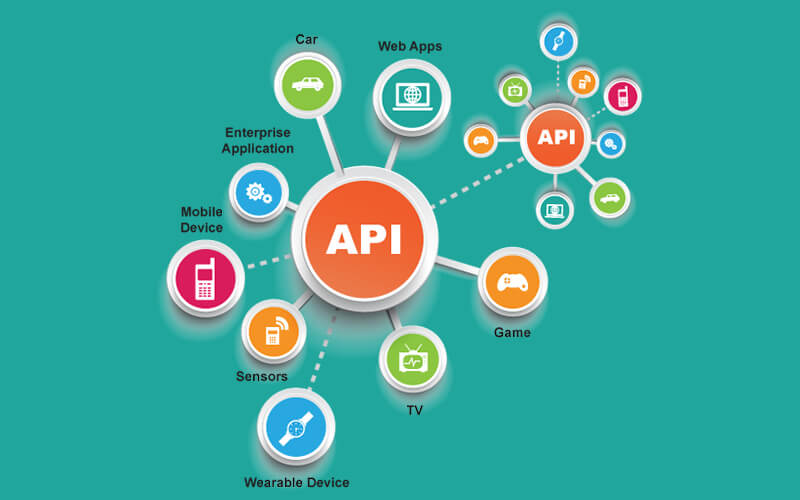
Infusionsoft can help out your business by utilizing the immense degree of API customization through which you can connect your in-house software and technologies with the CRM. With this synchronization you can bridge the database of your in-house Application and Infusionsoft then you can transfer the most up to date customer back and forth between the API & CRM.

API Integration

If you are still confused let’s discuss an example shall we:

Cliniko is one of the most widely used medical assistant software used doctors around the world. It assists medical practitioners with a variety of daily tasks such as keeping track of patient’s medical history, scheduling the appointments etc.

By bridging Infusionsoft and Cliniko doctors can get new appointments, patients with Infusionsoft email marketing campaigns so that you can increase the revenue for their practice. This synchronization allows businesses to launch automated email campaigns based on patient’s behaviour, appointment time, buying habits, invoice requirement and so much more.

With Infusionsoft API integration, you can manage and control your entire sales cycle with the help of standardized REST APIs and share contacts, email lists, leads, companies, inventory and other details across all of the cloud services you use for your business.

The Better The Reporting The Better Business Efficiency

This is an undeniable fact, the more thorough and streamlined your business reporting analytics are the more efficiently you will be able to modify and adapt your business strategy as per the changing analytics. Hence steering your brand towards success.

Business Efficiency

However, Most of the online reporting and analytics tools lack flexibility. Analyzing and tailoring of those static data tend to consume a good amount of productive time. Well, this won’t be the case anymore if you can implement with the Infusionsoft marketing automation to create your own reporting parameters as well as for analytics and reporting tools, that can be completely customized to suit the specific requirements that your business or brand might have.

JUST A FEW FINAL WORDS…

There you go, folks! We hope you got quite a few insight on what Infusionsoft CRM can you for your business however as you might have guessed by now that implementing the above-mentioned element with respect to your business is a difficult task.

It is highly recommended you hire an Infusionsoft consultant with expertise on the CRM, such as QL Tech who is a certified Infusionsoft partner and can help you Automate and scale your repetitive marketing tasks. Our Marketing Automation services especially focused on planning, execution, automation, and measurement of digital campaigns including entire setup and implementation of the user journey within the CRM.

In case you have any questions or doubts, please feel free to contact us or book a free consultation online.

Mobile SERP Survival Tips: Any Technical SEO Checklist Must Have

Although technical SEO is a topic that only a few of us make use of it is an integral part of life. Tell me this, which part of SEO is non-technical if we have a closer look?

Any SEO technical checklist must contain parameters such as issues, mistakes, tips and recommendations. And the good thing is we are going to cover it all, in the most efficient way possible, all of the above-mentioned elements are crucial in making any website user-friendly, organized, detectable in SERP and easily understandable. Therefore, collect all the data you might have on your site and start optimizing.

It sure has taken a while, but Google’s mobile-first indexing is here at last.

The Search Console messages have started appearing and sites are gradually switching over to the mobile-first indexing methodology.

You’ll find a lot of content being written about mobile-first indexing, however, most of them have only elaborated on the basic elements of mobile search engine optimization. In this article, we are going to analyze some of the more technical components of mobile search engine optimization (SEO) and show you what actions are required to make sure your website is all set and is going to survive the mobile-first indexing era.

Mobile-First Indexing:

What does Google intend to do with “mobile-first indexing? Regardless of most of the SEOs might be believing, Google has not developed a separate index for mobile search. Whether any site applies the mobile-first indexing approach or not, Google will still serve the search results from the common index of the Internet.

Mobile-First-Indexing-1

Now you might be asking then what the difference is. Well intrinsically, only there is one factor that has really changed: Instead of crawling websites with a desktop user-agent, Google will be crawling the websites with a mobile user-agent.

Previously, Google crawled the websites from a desktop perspective, with a user-agent string that indicates desktop devices:

Mozilla/5.0 (compatible; Googlebot/2.1; +http://www.google.com/bot.html)

With mobile-first indexing, this has changed to a user-agent indicating a mobile device:

Mozilla/5.0 (Linux; Android 6.0.1; Nexus 5X Build/MMB29P) AppleWebKit/537.36 (KHTML, like Gecko) Chrome/41.0.2272.96 Mobile Safari/537.36 (compatible; Googlebot/2.1; +http://www.google.com/bot.html)

This above mentioned user-agent string shows that it’s originating to be an Android device, so it requires your website’s content optimized for mobile viewing.

Delivering Mobile-Optimized Experiences:

With this mobile user-agent, what Google bot sees is greatly dependent on how your website is configured to handle mobile usage. Delivering mobile-optimized experiences tends to take place in one of three ways:

Responsive, Dynamic, Unique

1. Responsive Design:

With this method, nothing really changes. Your website’s uniform resource locators (URLs) remain as they are, and the HyperText Markup Language (HTML) code implemented is identical as well. This type of website’s design will adapt to the size of the screen it is being viewed on, delivering a mobile experience catering to the device’s specific screen resolution. Google recommends responsive design as its preferred design pattern, as it requires the least effort from their end; there is no extra code to index and no additional URLs for crawling.

2. Dynamic Service:

A lot of times websites detect the user-agent when a page is being loaded and provide a different HTML code on the same URL with respect to the type of device that’s being used. This is called dynamic serving. It is the same URL, different HTML code, one for desktop users and another one for the mobile users.

3. Unique Mobile URL:

In this approach, a website will provide different code to mobile users as well and will also use different URLs for its mobile site. Often a website serves its mobile content from a separate subdomain, like m.website.com, or from a different subfolder like www.website.com/mobile/.

Each of these mobile design methodologies has its own strengths and weaknesses. But for SEO purposes, having a responsive design tend to present the least hassle, whereas in dynamic serving and separate mobile URLs can cause many problems for the technical SEO of your website.

But by just having a fully responsive site doesn’t mean your work is complete. Even if your responsive site gets a green mark on Google’s Mobile-Friendly Test, this doesn’t mean you don’t have anything to fear from mobile-first indexing.

There are still some elements of technical SEO and general optimization you need to know in order to fix your site. If your site uses the dynamic serving or separates mobile URLs, there might be quite a lot of work cut out for you in ensuring that your website continues to perform consistently.

Consistent On-Page SEO:

Firstly, you will need to make sure your on-page SEO is up to the mark on your mobile site. In a responsive design, this is not an issue, as mobile and desktop pages are basically the same.

However, if your site is using dynamic serving or separate mobile URLs, it’s crucial to double-check your on-page SEO, here are few must-have for on page:

• Whether you have optimized title tags and meta-descriptions?
• Does your page have a strong headline?
• Is your content the matching with your desktop version?

Once your website is switched to mobile-first indexing, Google will check the mobile site for indexing and ranking. If your mobile site is not on the same level in on-page SEO as your desktop site, you can expect your site ranking going down.

Importance of Structured Data:

Along with basic on-page SEO elements, you will also need to keep structured data in mind as well. Your website might have structured data embedded in your desktop pages that can result in rich snippets in Google’s search results. If this structured data isn’t there on your mobile site, you could be losing those rich snippets and the click-through rates.

Structuredata

You must ensure that any structured data markup that’s there on your desktop site is also present on your mobile site. Use Google’s structured data testing tool to verify the markup. And keep a special lookout for structured data report in Google Search Console for potential errors and warnings.

Must have Pagination:

A lot of times, for smooth mobile user experience, websites might not paginate content the same way for mobile users as it does for desktop. Instead of links to deeper pages, your mobile site may be using infinite scrolling or does not bother with pagination at all and just display limited content.

Pagination

In this case, you must fix this before the website is to be switched to mobile-first indexing. Lacking pagination or the wrong implementation means that the Googlebot won’t index beyond the first page of paginated content. And what the Googlebot can’t see, it cannot crawl and this could eminently lead to your site dropping out of the Google’s index entirely.

So make sure your pagination is done properly on mobile site, with completely crawlable pagination URLs.

On top of that, your website might be using pagination Meta tags to indicate paginated content. With rel=prev and rel=next, you can signpost that, like lists of products or an article spread out over multiple pages.

When using dynamic serving or separate mobile URLs. You need to ensure your pagination Meta tags are present on mobile as well as on desktop.

Conclusion:

Mobile-first indexing is not a matter of if but a matter of when. And it will happen to your site sooner rather than later, so our advice is you should be prepared for it as much as possible.

In order to prepare for the mobile-first indexing, era means you need to double-check everything, and then check it again. Don’t be complacent; a positive Mobile-Friendly Test is only the beginning. You need to make sure that each and every element of your site’s SEO is present on mobile as well as a desktop, and your switch should be easy and without a hitch.

7 Facts that you should know about the Web Design Industry

To truly understand the web design process, you must look beyond just the outward visual appearance of a website a little deeper.  An exciting career for a creative problem-solver like you. Turning text and images into gorgeous sites that customers love to visit and companies are proud to show off. Keep reading to discover important facts that you should know about the web design before paying for web design services.

career-in-web-designing

What Web Designing is Really About?

The web design industry is a constantly progressing industry. It undergoes constant development and expansion. The players in this industry are in a constant system of changing themselves. By changing themselves, they update their website and its offerings. In doing this, they formulate goals which they nurture until fruition. Particularly in the education industry, a website undergoes a number of updates. In the education sector, a website can provide online tutorials, offer a community blogging platform, offer a blog series and cultivate forums and discussions.

The education industry has embraced online learning. Through this, it integrates technology into the learning process to offer online courses. These are either an extension of their classroom counterparts or are conducted only virtually. Courses in website development, coding, digital marketing, learning languages such as PHP, etc are all taught virtually to students who opt for them.  This technological development in education has virtually created another sub-industry in education, that of online learning. This industry is slowly growing through small developments.

Web designing promoting Social Interactions

Through community blogging, websites have developed another revenue stream. Website owners have started encouraging community blogging, wherein proponents of one thought or idea come together on a particular site and discuss it. They try to support or oppose the topic being discussed. This gives rise to a debate. Such debates are making community blogging sites entertaining. This entertainment is more interesting than what we are offered in the media. Through community blogging, users communicate with others of their ilk.

Through a blog series, websites are inviting people from all walks of life to write for their website. People post their opinions, views on subjects of their interest. Some of them also write informative pieces about certain topical issues that matter to them. Such initiatives are a dime a dozen today because business owners want to engage with their customers to take their feedback on their products and services. This activity is necessary to tailor the product or service offerings as per the needs of the customer.

Through interactive forums and discussions,

business owners propagate the idea of freedom of speech. This also empowers people by helping them find their voice, among a crowd. They discuss the pros and cons (as the case may be) in the active forums and discussions and put forth their point of view. Such activity is encouraged by each business owner. He gains by this activity in that the user is communicating through his website and using its features. During this activity, the user also browses through the products and services on offer and makes a purchase.

7 Important Facts about the Web Design Industry

Here, we will discuss Seven important facts about the website industry that you should be aware of. These facts are culled from extensive research done on many websites and their offshoots. Many small businesses were also surveyed to find out this information. A lot of effort has gone into collecting data from customers and converting that into understandable data. The raw survey data was not actionable. This activity has been conducted to understand the Seven important facts about the web design industry.

1. All web browsers render differently

Different browsers render websites differently. When you look at a website using the Google Chrome browser from your office, it may not appear the same as when you look at it using Mozilla Firefox, from your residence. This is because the two different browsers give different rendering effects to the same website. This means it all depends on parsing and rendering of a website by a browser. This activity gives different results for different browsers for the same website.

2. Design dictates which part of your website users will focus on

The internet has changed the way users browse and read the content. As per a Neilson Normal Group’s report, websites, which are successful in garnering traffic, have recorded a 47% improvement in usability. Web design professionals can use heat maps and analytical tools, which tell them which buttons on their website, are popular. This can cause large ramifications for the successful updation and design of websites. Such information can help web designers.

3. A two-year-old website may be too old

In the web design industry, technology changes at breakneck speed. To keep pace with these changes, professionals must update themselves at regular intervals. Moreover, business owners should also update their websites regularly. If a website is not attended to for more than three months, it becomes too old. A website, which has been stagnating for two years, will be even older. Regular updating of websites is common in the web design industry. Merchants who do not follow this are sure to be out of business.

4. Templates will condition the navigation of your website

Templates will condition your navigation of your website

Templates may help you design an attractive website, however, when the time comes to update that, templates will not allow you to do it, the way you want it. Templates will condition your website updation. Once a template is used, the website updation has to follow the path of the template and cannot be modified the way you want. Therefore, when designing a website, avoid opting for templates. This is apparent considering templates are rigid and condition the website design in a particular format.

5. Images or videos can have a positive or negative impact on your business

When inserting images or videos into your website, try using their optimized version. Not doing this will make your website slow to navigate. Users do not have the patience to wait until a website with heavy images and videos opens. Such images and videos tend to drive away users from your website. Therefore, it is best to use images and videos that are optimized for websites.

6. A good website design costs from $500 to $5000

A pricing infographic by a popular website states that the design costs of a good website range from $500 to $5000. This range is so wide because it includes the design cost of the website, the cost of optimizing the content of the website and improving the loading time of the site on search engines. Depending upon the density of a website, the costs of website design vary so widely.

7. There is a difference between responsive and mobile web design

When you view a website on your mobile, you are viewing its mobile version while when you are viewing it on your laptop or desktop, you are looking at its responsive version. The mobile website is restrictive, while responsive design is flexible. Flexible website design allows modification of websites according to the interface through which it is viewed. Thus, it is better to view websites on your laptop or desktop.

Responsive-vs-Mobile-web-design

Conclusion

Thus, we have seen above that the web design industry is a constantly evolving field. The more flexible your website is, the better it will be for you. Therefore, when you design your website, make it reactive and not a mobile one. A responsive website will allow you to make modifications in it at a later date if required. However, a mobile website will not allow that. A mobile website will only allow you to update its content and not its design.

Taking the example of the education sector, you have seen how a website changes form, in the introduction to this article. You have also seen that in order to keep updated with the latest design changes happening in the web design industry, a professional have to upgrade himself periodically. If he does not do it, he will be thrown out. Similar is the case with web design professionals and graphic designers. They have to keep themselves in the knowledge of the latest improvements on the design scene.

In the above piece, you have seen how dynamic the web design industry is and how you should design dynamic websites, which can be modified later, if, required, in order to counter your competition. In this industry, your competition is twofold. One it is with the other designers and on another front it is will constantly evolving the technology. If they do not upgrade themselves at regular intervals, they will be outdated and will not be able to offer their services. There is a lot of material online, which will help web designers, and graphic designers upgrade their skills to remain in the game.

Why Should Brands Invest In behavioural Research for Effective Marketing

This post is by guest author, Junaid Ali Qureshi. This article has been edited and published with the author’s permission.

The term behavioural research might be relatively unknown to many people in the advertising sector but what if I told you it has the ability to improve the outcome of your marketing strategies, sometimes by even tenfold, if executed to precision.

As the name implies, behavioural research is a research section that focuses on finding what variables can have a direct or indirect effect on an individual’s habits.

These can help a marketing campaign better communicate their message to the consumers. For those still unconvinced on the benefits of behavioural research, read on as we list a number of benefits.

You Can Make Your Company Seem More Trustworthy

People are more in favour of conducting business with a company they deem to be trustable and are familiar with. By understanding the behavioural patterns and habits, you can market your company or your product in a manner that pulls at the consumer’s emotional strings.

An emotional connection will ensure that consumers keep coming back to your company after the first time around. According to a study done by analysts, a marketing campaign that had a more emotional tone to it always outperformed generic campaigns that were not emotional. This was true in all aspects of marketing.

Allows Your Marketing Campaigns To Stand Out From Other Campaigns And Competitors

Humans stay on autopilot mode for large amounts of time. Whether it is in the bus on your way to work or driving for long periods of time, we generally do not pay attention to a familiar environment that we have become accustomed to, unless we come across something that is unfamiliar.

Things are no different when it comes to the general public. If you have a generic marketing campaign, then chances are that your consumers are not going to regard it either. In order to get them to notice you, you need to step out from the usual boring campaigns and come up with something powerful enough to draw their attention. This does not mean changing just the also message but can include things like changing where your campaign will be seen or how it will be made use of. All these aspects will be significantly easier when one has access to information about the consumer and their behavioural patterns.

It Helps You Center Your Company Around Your Consumers

To start with, extensive research into the consumer’s behavior and habits will allow you to centre the firm around the consumers. The majority, if not all, companies tend to get embroiled in internal issues, politics, focus more on other ventures and projects and so on.

When this happens, it is easy for a company to lose its way, head in a different direction and most importantly, lose touch with their customer base. Behavioural research allows you to stay on course and make serving your clients a priority.

The importance of meeting the expectations of consumers, understanding what is it that they want. And how exactly they want it cannot be stressed enough. For instance, if you wish to open an e-commerce site, it would be great if you can find behavioural patterns in your consumers. That can assist you in developing the site in a manner that fits their behaviour before you hire magneto developer. Or invest in a magneto development company.

You Can Project the Impression of A Popular Company

Crowds are always wary of a new or relatively unknown product in the market. If they feel that the company or product is new, they will think twice before buying it as opposed to buying a product from a long-standing company. If they are given the idea that the product is popular and often used, they are more likely to be interested in using it. This is again something that can not be done without extensive research into consumers’ behaviours.

Impression-of-a-popular-company-effective-marketing

Keeps You Future-Oriented and Ready for Sudden Changes

An age-old saying is that those who fail to change tend to be left behind in the cold, and in today’s competitive and rapidly evolving market, that is gospel. Behavioral research also allows you to better predict the future of the market.

It can give you an idea of where the market is heading and what trends are coming up. This is important because if a company fails to get on a trend or new market direction, they can quickly go obsolete, such is the industry today.

Future Oriented - effective marketing

A fine case in point is Nokia. With adequate research by your side, you can even anticipate sudden changes and act accordingly. Most importantly, the research data allows you to see the bigger picture and focus on long term results rather than short term results that can quickly make your company irrelevant and stunt the longevity of the business.

You Can Have More Detailed Marketing Campaigns

When you are armed with data on what consumers want and what they do not, you can put that in your marketing campaign and deliver something that is filled with details and information that show your customers that you understand them and perhaps most importantly, understand what they want and how they want it.

This can make a massive difference and will always stand out over a vague campaign that does not seem to know the customer’s needs. These details even have the potential to change behaviour and similar to the previous point above, helps you stand out apart from the crowd which generates more interest and attention in your product or company which is exactly what your campaign wants. The increased attention is invariably going to generate higher profits.

Greatly Enhances Your Decision Making Skills and Reduces the Level Of Risks

Knowing more about your customers and their habits will help you vastly when it comes to making important decisions. Behavioural research will give you a lot of meaningful information into your industry, your products and competition to name a few.

Having this wealth of information at your fingertips will make it easier for you to make important decisions with assurance and clarity. When you know how your consumers are likely to act towards your methods, it gives you more confidence to act out your strategies.

Talking about marketing strategies, this extra information makes it easier to brainstorm and develop better strategies that can directly target the consumer as well reduce the amount of risk that is associated with new ventures and plans.

Allows You to Pursue Better Opportunities

Furthermore, knowing what your consumers like and what they do not allows you to separate lucrative opportunities from other opportunities that are not doing as well. When operating a business, it is usual to get confused when deciding which path will deliver the best profits. Armed with information on your consumers, you can decipher this much easier than doing it without any information.

Better Opportunity-effective marketing

Not only is it easier, but it will also ensure that the task is more accurate. You can figure out what type of marketing campaign you should follow, which product you should market to which demographic and most importantly prioritize important tasks ahead of the others.

Anyone in the marketing field knows that the ability to multitask is of immense importance. At any given moment, a marketer could be juggling multiple tasks or multiple projects. When this happens, there is always the chance that one can miss the bigger picture or prioritize less important tasks over important ones. This problem can be avoided if one has the information that allows them to easily figure out where to focus their attention on.